
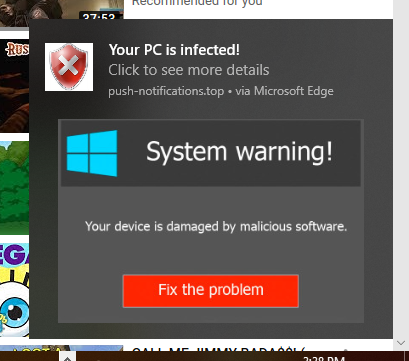
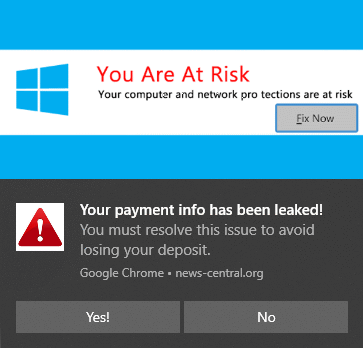
Rogue websites frequently try to trick you into allowing them to send notifications. When that happens, they will often send spam notifications trying to make you think your computer is infected, someone has stolen your identity, or something else, hoping you'll click the notice and buy their bogus product or call an 800 number where they will try to scam you.
 |
 |
It can be as simple as clicking 'Allow' in an otherwise generic looking popup window. Once you do, the site can send alerts to your computer, even if Chrome (or Edge) isn't open! Thankfully this isn't a virus or anything like that - it's just a setting in the browser. Here's how you can get rid of them:
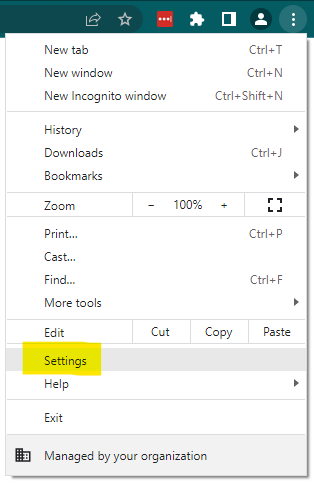
- Open the Settings Screen of Chrome by clicking the '3-dot' menu in upper right corner of Chrome
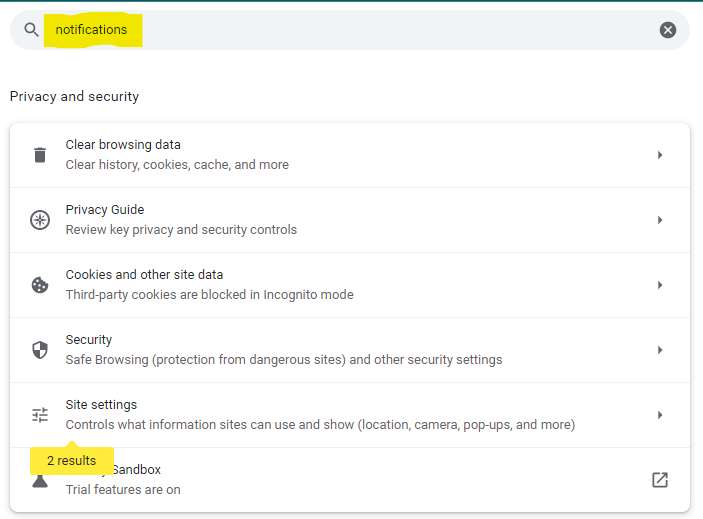
- Type in 'notifications' in the search box up top and click on 'Site Settings':
- Now scroll down and under the Permissions section, click Notifications:
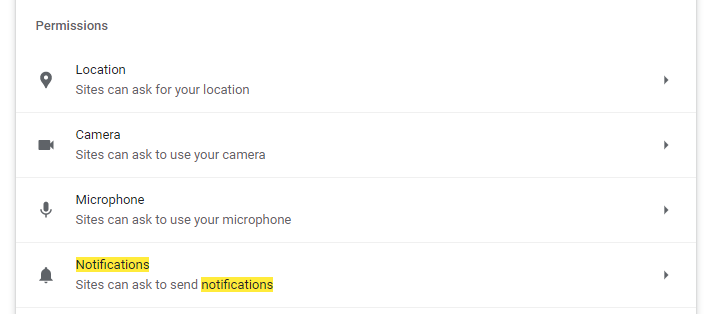
- Under the 'Allowed to Send Notifications' section, look for unusual sites or sites you don't recognize and click the 3-dot menu next to each site. Select BLOCK. This will ensure the site can never ask for notifications permissions again:
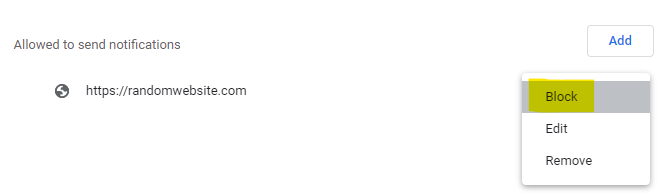
NOTE - Some sites like Google Drive, GMail, Facebook, etc you may WANT to be able to send notifications. So don't just block everything listed. Just look for unrecognized sites. Random recipe or maps sites are also common notification spammers.
We hope this helps! If you still have trouble with notification spam, we can help remotely! Just give us a call/text (336-525-5005) or email (help@itxpress.biz)
Comments
0 comments
Please sign in to leave a comment.